
Protect Your eBike Battery from Theft
Our universal e-bike battery combination lock attaches to your e-bike battery with ultra-strong adhesive. The loop wraps around your bike frame, the locking pin threads through the loop, and locks securely into the combination lock — making battery theft obvious out in public. The added sticker acts as an additional deterrent to steer thieves away from your bike!
About Us
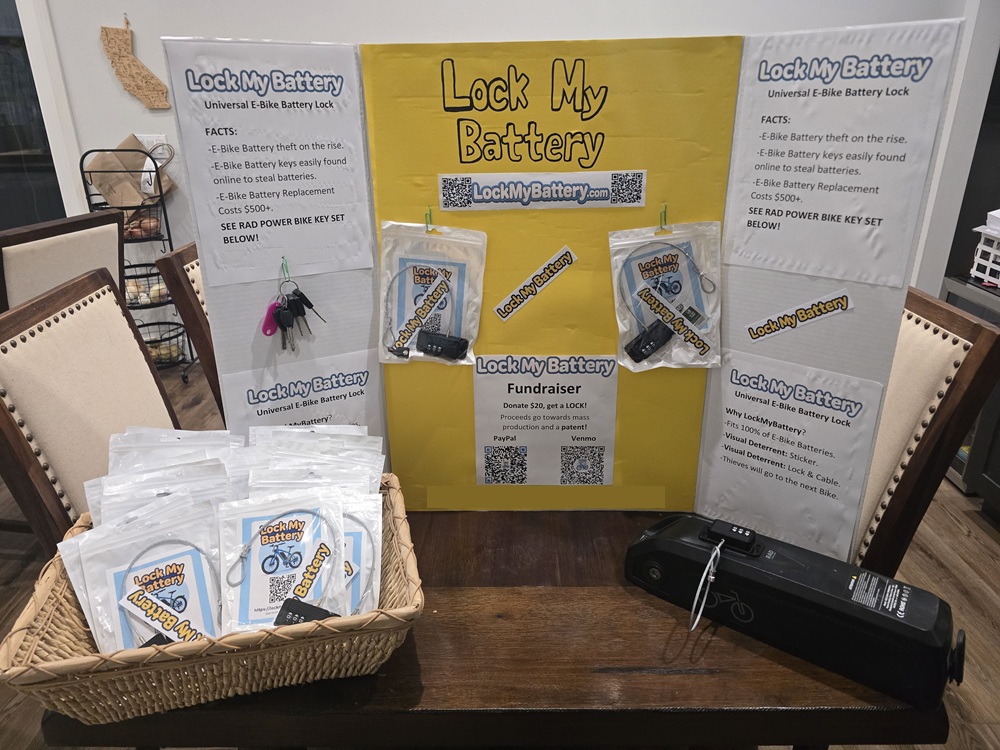
As a Genius Hour project at Magnolia Elementary School, I saw that e-bike batteries were being stolen all the time. All variations of keys are easily accessible to buy online, making e-bike batteries an easy mark for theft. Thieves would take the batteries and resell them on Craigslist, Facebook Marketplace, and OfferUp. Since a new battery can cost $500 or more, I decided to make an inexpensive lock that can attach to any e-bike battery. I also made a cool sticker to put on the battery as an extra warning to thieves.
Now thieves will think twice before trying to steal an e-bike battery that is locked up with Lock My Battery!
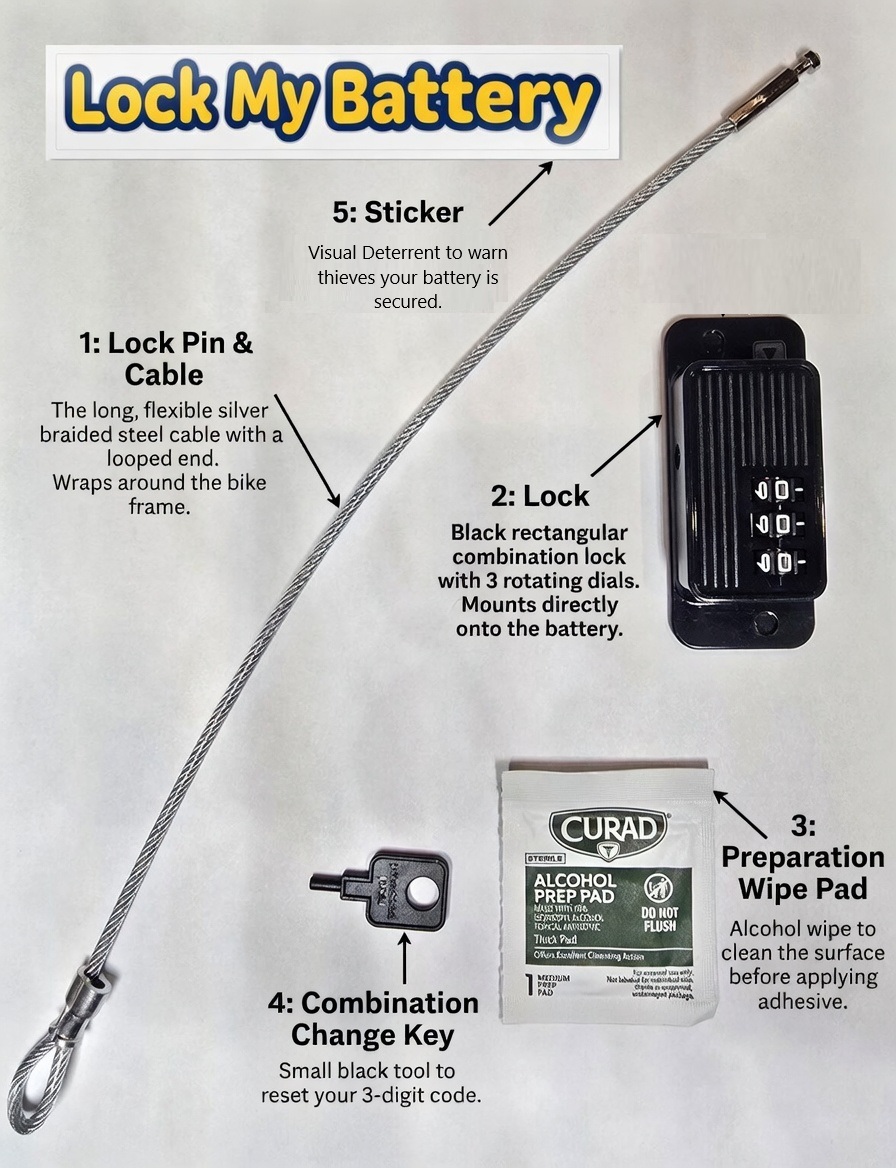
Labeled Parts
Installation Instructions
- Find a suitable spot near the battery and loop the cable around the bike frame, then insert the lock pin through the cable loop. Important: Ensure the loop and cable will not get caught in any moving parts of the bike (wheels, chain, pedals, etc.).
- Insert the pin into the lock.
- Perform a “Dry Fit”: Before removing the adhesive backing from the lock, test the position on your battery.
• Make sure the battery can still slide off its mount freely.
• Check for any bike frame bars or parts that might block the battery from being removed. - Use the included alcohol wipe to thoroughly clean the area on the battery where you plan to mount the LOCK. Use the same alcohol wipe to clean the side of the battery near the original battery key lock area for the STICKER. LET IT DRY FOR 5 MINUTES.
- Peel off the protective adhesive sheet from the back of the lock and firmly press the lock body onto the cleaned area of the battery. (The cable should still be looped around the bike frame with the pin inserted.) LET DRY FOR 30 MINUTES BEFORE RIDING.
- Peel and stick the LockMyBattery Sticker in this visible location as an additional visual deterrent against thieves.
- Get on your bike and ride!
Completed Installation Examples:
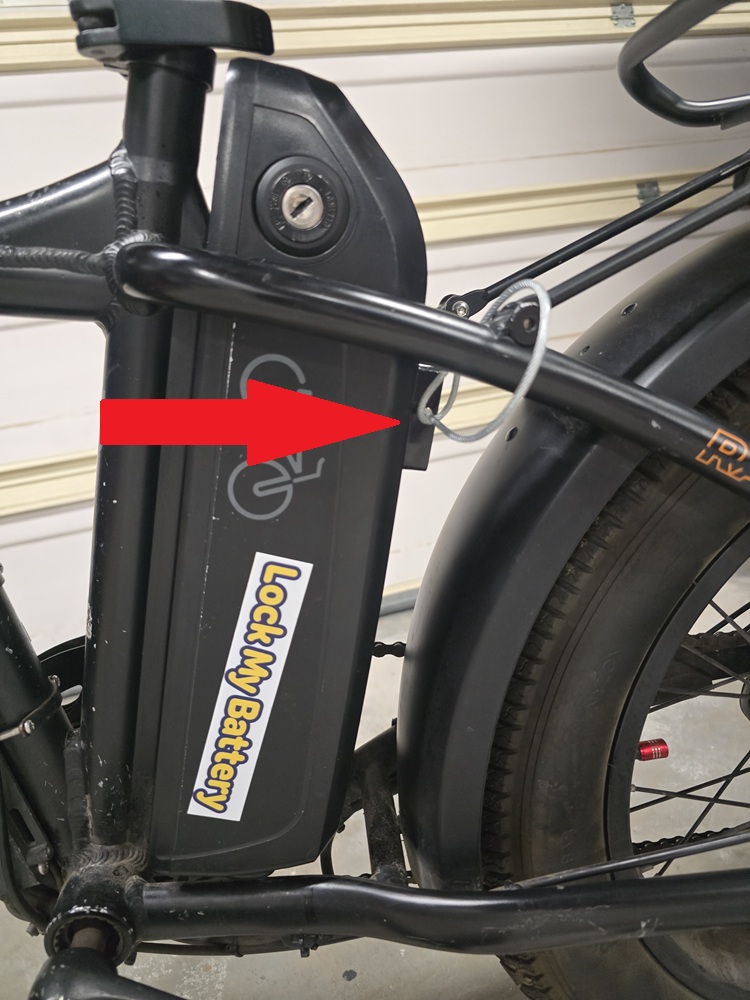
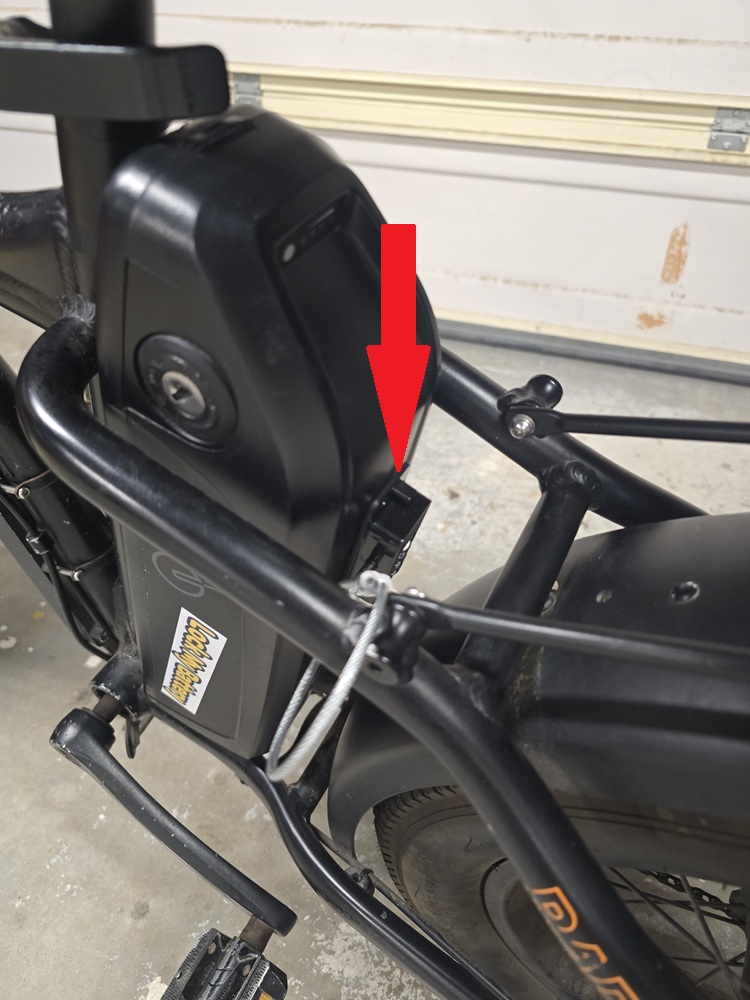
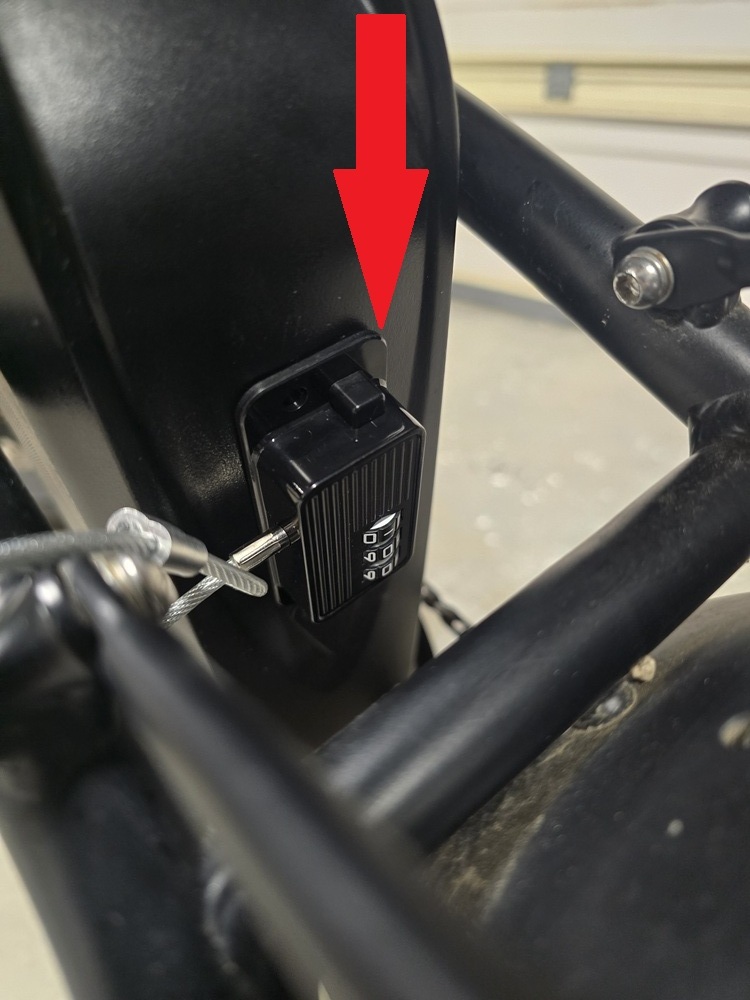
Congratulations! You have successfully installed your Lock My Battery system.
How to Change the Combination
- Set the lock to your current correct combination and press the unlock button to release the cable. (The lock arrives with a default combination of 000.)
- Press the unlock button again and re-insert the cable/pin into the lock.
- Insert the Combination Change Key into the small hole at the short end of the lock.
- While the key is fully pressed in, change the dials to your new desired combination.
- Remove the key and set it aside.
- Press the unlock button, remove the cable to test, then re-insert it.
Success — your new combination is now set.
Donate to our Project
All proceeds go toward mass production and Patent Application.
Flat donation: $20.00
Donate with PayPal

Scan with the PayPal app and donate $20.00
Or Donate with Venmo

Scan to donate $20.00
Contact Us
Support: support@lockmybattery.com
Vendors / Wholesale: sales@lockmybattery.com
General Questions: info@lockmybattery.com
Please allow 24-48 hours for a response.
Thank you!
This lock and sticker is intended to act as a visual deterrent only. LockMyBattery.com, its agents, owners, representatives, affiliates, and employees make no warranties, express, written, or implied. Use of this product is at your own risk. We are not responsible for any theft, damage, or loss of your e-bike, battery, or any other property.